Ringdock app icon

Your Dock, in a ring around the pointer

For people who would rather keep the Dock out of the way. Press ⌥ Space and the apps and folders from your Dock circle the pointer, wherever it is. Click one to open it.

Get Ringdock macOS 26 or later · Apple silicon
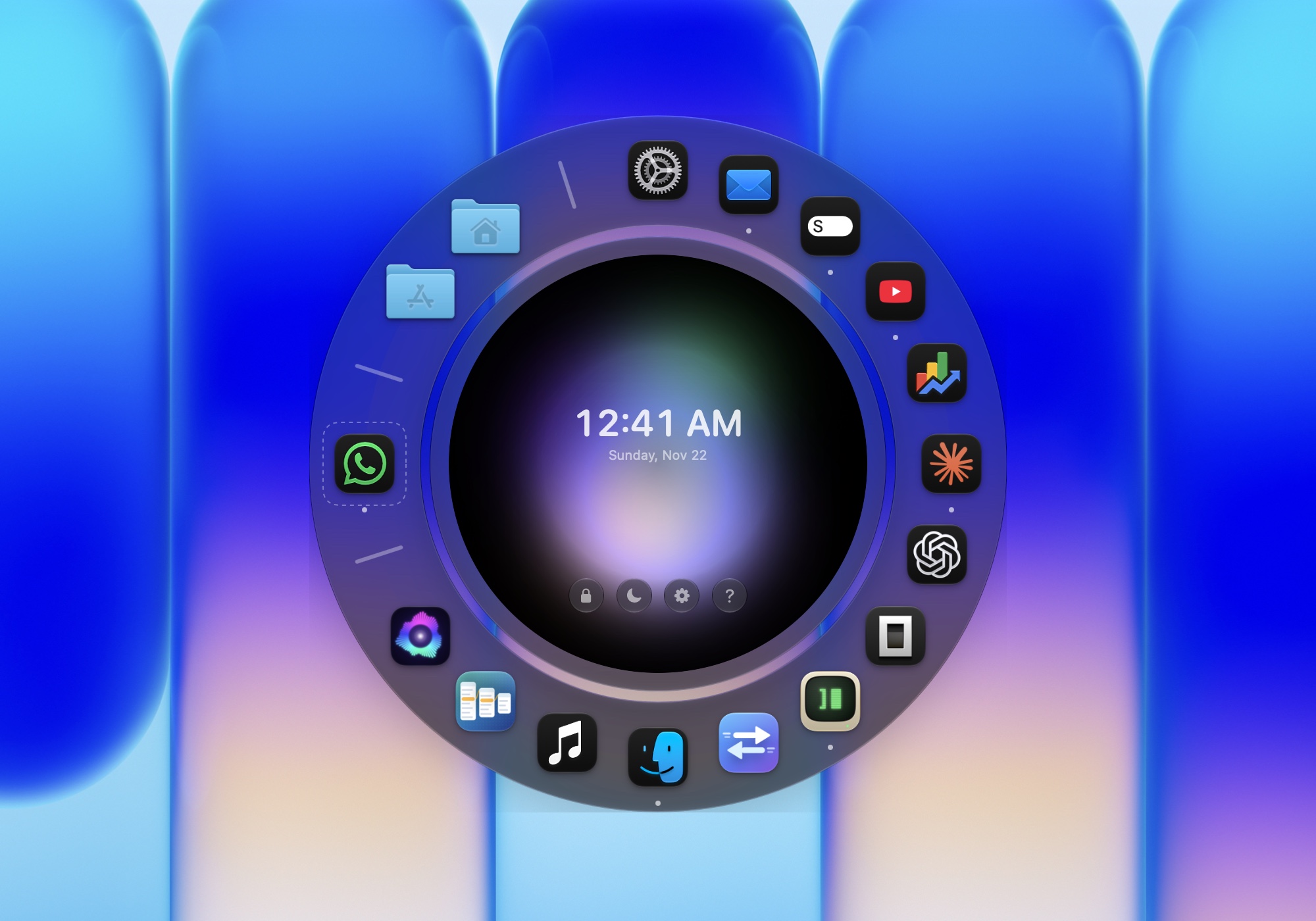
The Ringdock ring over a blue wallpaper: app icons from the Dock around a dark centre showing the time and date, with two folders and a running WhatsApp set apart by short divider lines, and four small buttons along the bottom of the centre.

Shown over macOS’s Mac Blue wallpaper. The apps are the Dock of the Mac used for the screenshots, and Projects is a sample folder.

Starts with your Dock

Ringdock reads the apps and folders in your Dock, in the same order, each time the ring opens. Add something to the Dock and it’s in the ring too.

In Settings, add other apps and folders, or remove the ones you don’t want. Anything you remove waits under Hidden from the Ring, where Show puts it back. Reset to Dock puts it all back the way your Dock has it.
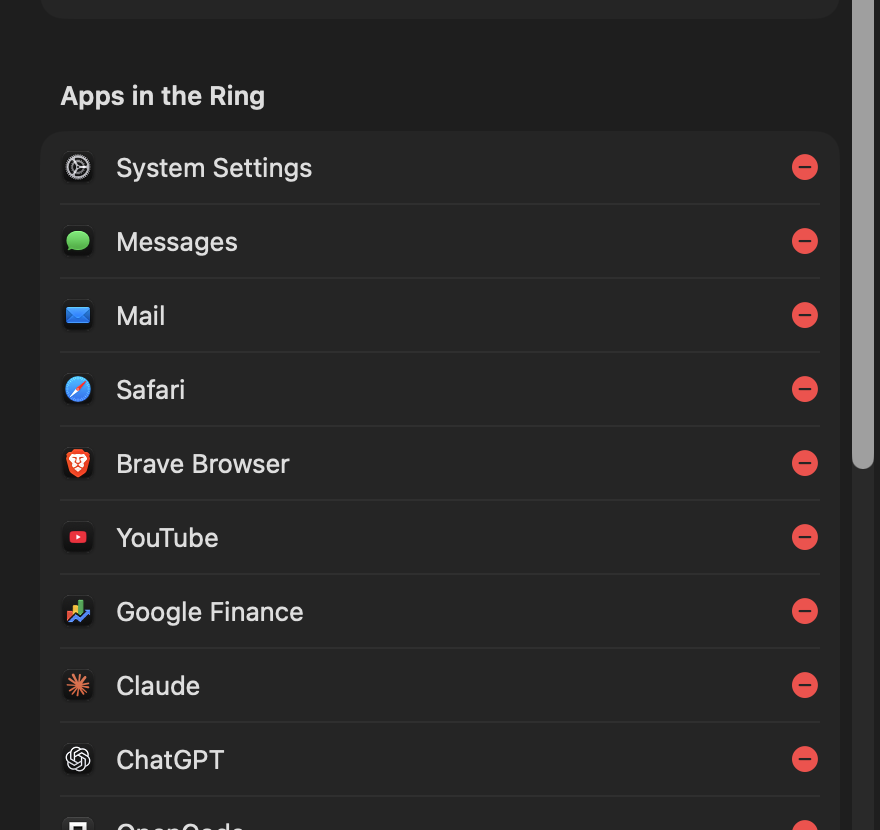
Ringdock Settings: the shortcut, then Apps in the Ring, a list of apps such as System Settings, Messages, Mail and Safari, each with a red remove button.

Point, then click

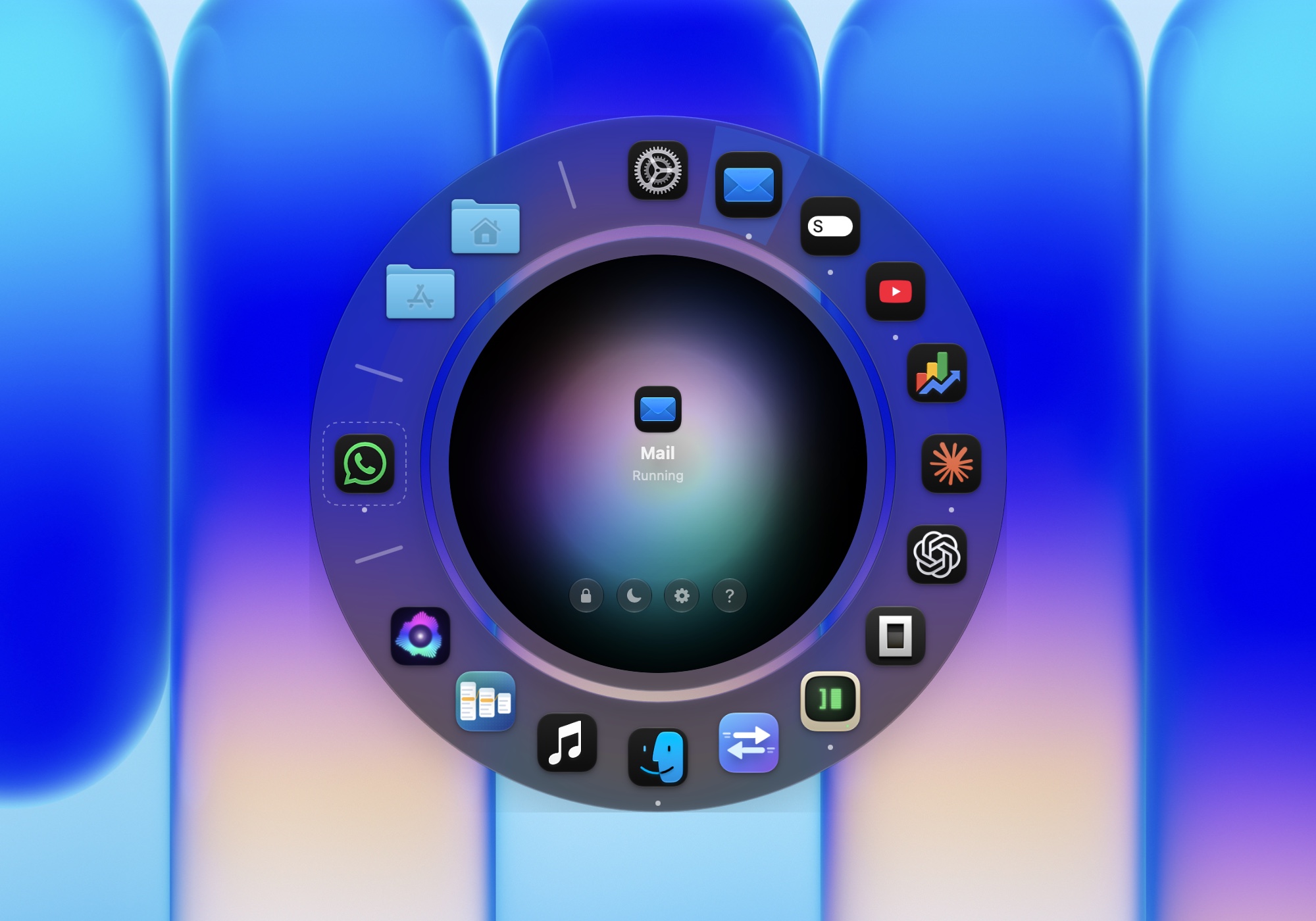
Point at an icon and the centre of the ring shows its name and whether it’s open. Click to open it, or to bring it forward if it’s already running, just like the Dock.

With nothing pointed at, the centre shows the time, the date and a count of badges, such as unread mail. Buttons along its bottom lock the screen, put the Mac to sleep, or open Settings or Help. Apps you have open that aren’t in your Dock join the ring with a dashed outline.

The ring with the pointer on Mail: Mail is highlighted, and the centre shows its icon, its name and “Running”.

Folders open as a map

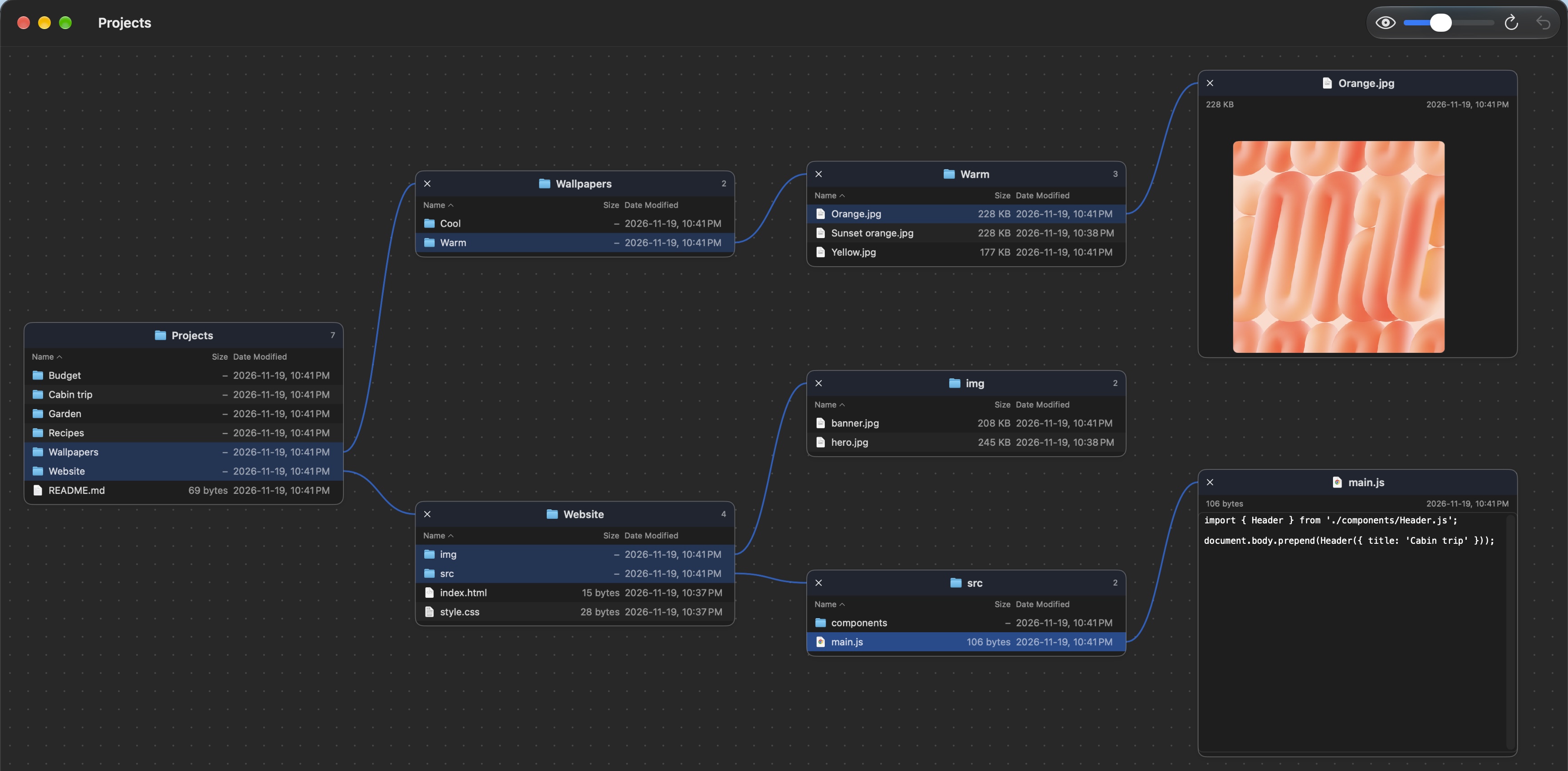
Click a folder in the ring and it opens in its own window. Double-click a folder to open its card beside it, or a file to preview it: pictures, text and code, PDFs, audio and video. Double-click an app and it opens.

The arrow keys move through it too. It’s for looking, not filing: nothing in it moves or copies your files. Right-click the empty map and choose Open Folder… to show another folder below the first. Point at a card and press X to close it.

A Ringdock folder window: the Projects card links to Wallpapers and Website, which open into Warm, img and src, with preview cards for a picture and a JavaScript file.

Hide the Dock, keep your apps

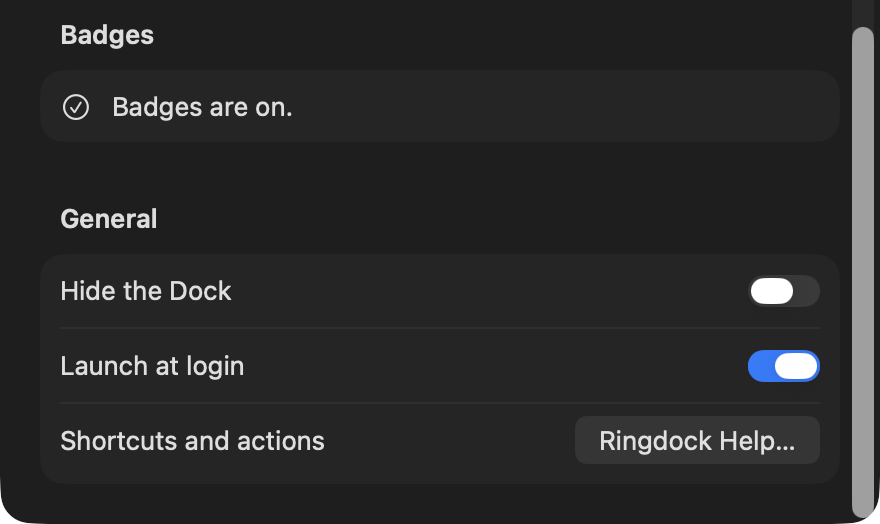
Turn on Hide the Dock and Ringdock keeps the Dock out of sight while it runs. Quit Ringdock and the Dock comes back.

Launch at login starts it with your Mac, so the ring is always one shortcut away. Ringdock Help, here or behind the ? in the ring, lists every shortcut.

Ringdock Settings, further down: Badges are on, then Hide the Dock and Launch at login switches, and a Ringdock Help button.

Made to stay out of the way

Your app stays in front
Opening the ring doesn’t switch apps. Press Esc, the shortcut again, or click outside the ring to close it.
Arrange it your way
Click and hold an icon, then drag it round the ring. Apps stay with apps and folders with folders.
Right-click for more
Quit a running app, keep one that isn’t in your Dock, or remove an item from the ring.
Badges
Unread counts and notices from your Dock show on the icons once you allow Accessibility.
On the display you’re using
The ring opens where the pointer is, and folder windows open on that display too.
Your shortcut
⌥ Space by default, or any shortcut with ⌘, ⌥ or ⌃.

Get Ringdock

Get it on Ko-fi and the download comes from there, signed and notarized by Apple. It lives in your menu bar, and ⌥ Space opens the ring.

Get Ringdock
System
macOS 26 Tahoe or later
Processor
Apple silicon
Version
0.2.0
Permissions
Accessibility, optional, for badges

Questions

How much does Ringdock cost?

It’s free. Pay what you like on Ko-fi if you want to, with no minimum. Every feature is included either way.

Why does it ask for Accessibility?

Only to read the badges on your Dock’s icons, such as unread counts. Without it, everything else works and the ring just shows no badges.

Does Ringdock change my Dock?

It reads your Dock’s apps and folders and never changes them. Hide the Dock is off until you turn it on. While it’s on, the Dock stays hidden as long as Ringdock runs, and your Dock settings come back when you quit.

Another app already uses ⌥ Space. What happens?

Settings tells you the shortcut couldn’t be registered. Click the shortcut there and press a new one.

Does it connect to the internet?

No. Ringdock works entirely on your Mac and sends nothing anywhere.

Is there a Windows version?

A Windows version is in the works. This page will say when it’s ready.