ImageVibe app icon

Pictures from a sentence, made on your Mac

For anyone who wants to make images from a text prompt privately. ImageVibe runs the Bonsai Image model on your own Mac: no account and no server, and after a one-time model download it works offline.

Get ImageVibe Free · macOS 27 or later · Apple silicon · more than 16 GB of memory
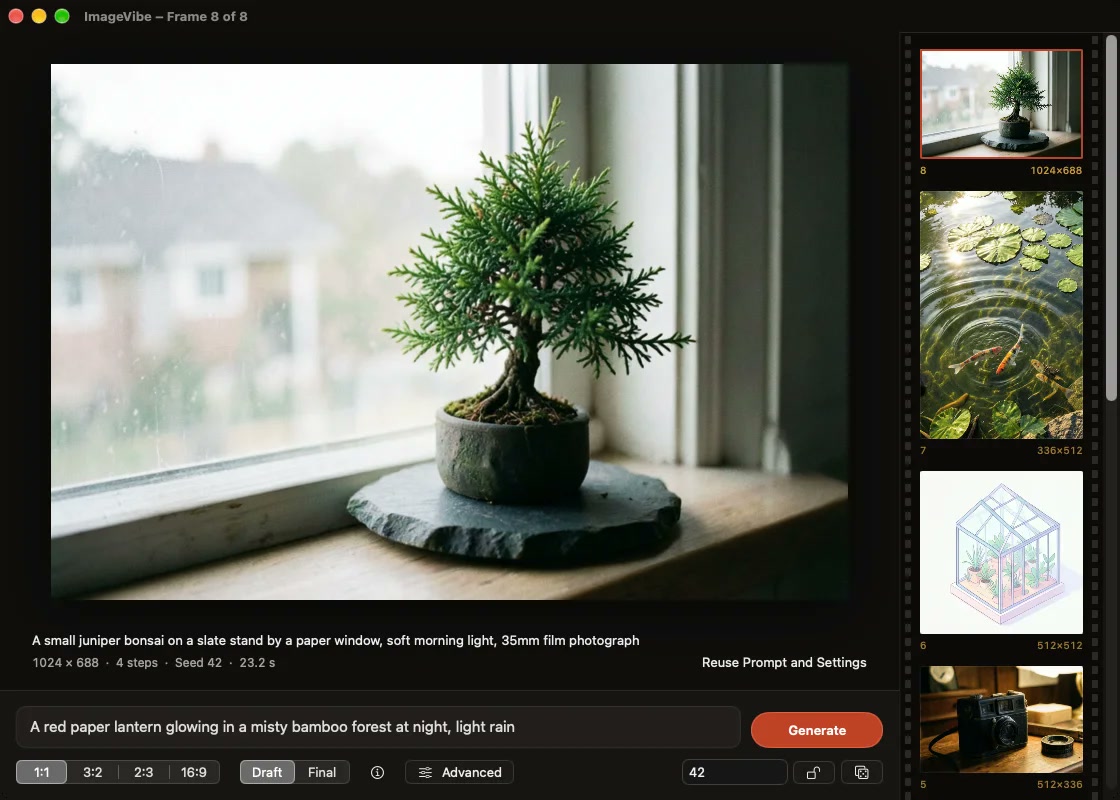
The ImageVibe window. A photograph-style image of a juniper bonsai fills the dark stage, its prompt and settings underneath. The film roll on the right holds the eight images made so far, the bonsai selected at the top. A new prompt about a red paper lantern is typed in the bar at the bottom, beside the red Generate button.

Every image shown was made by ImageVibe on a Mac for this page, from the prompts you see.

Describe it, then press Generate

Type what you want to see, in a few words or a few sentences, and press Generate or ⌘↩. Choose the shape (square, 3:2, 2:3 or 16:9) and the size: Draft is 512 pixels on the long edge, Final is 1024.

A Draft image takes about 10 seconds and a Final one about 20 on the Mac used for this page.
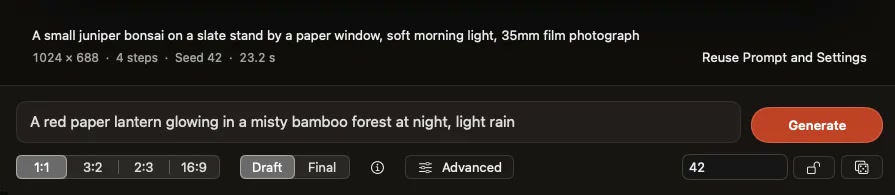
The bar under the image: a prompt field with a red paper lantern prompt, the red Generate button, shape choices 1:1, 3:2, 2:3 and 16:9, Draft and Final, Advanced, and the seed with its lock.

Every image keeps its recipe

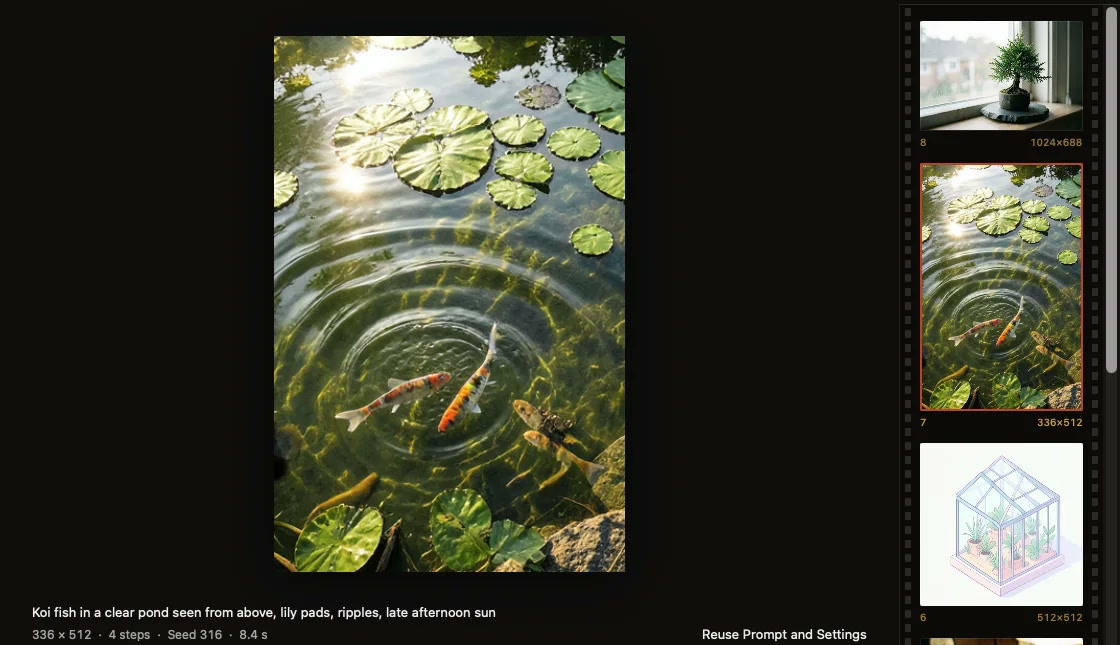
Each image you make goes onto the film roll, newest on top. Select one to see its prompt, size, steps, seed and how long it took. Reuse Prompt and Settings puts all of it back in the bar, seed included, so you can change one word and try again.

The same prompt, seed and settings give the same picture. Right-click a frame to copy it, save it, show it in Finder or move it to the Trash.

A portrait image of koi in a pond, with its prompt, size, steps, seed and time underneath and a Reuse Prompt and Settings button. Beside it, the film roll with numbered frames between sprocket holes, the koi frame outlined in red.

Draft first, Final when you like it

Try ideas quickly at Draft size, then switch to Final for the finished image. The same seed gives a similar picture at Final size, not an identical one, and the app explains why.

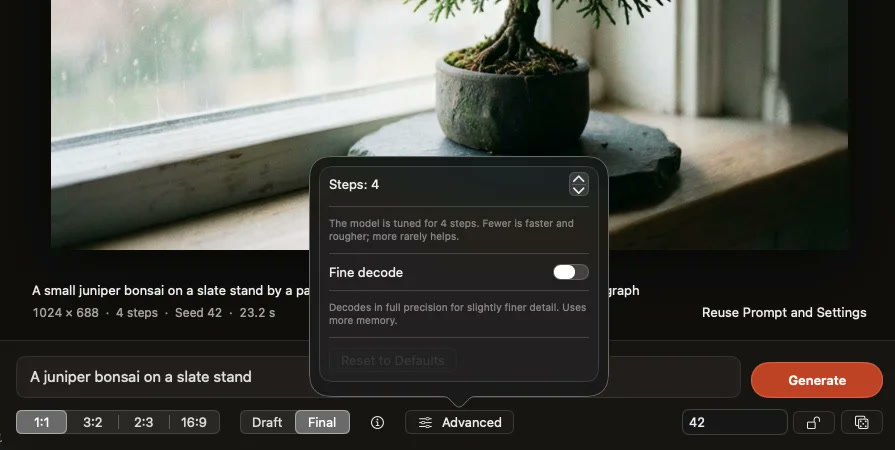
Under Advanced you can set the steps from 1 to 8 (the model is tuned for 4) and turn on Fine decode for slightly finer detail.

The Advanced popover open above the bar: Steps set to 4, with a note that the model is tuned for 4 steps, and a Fine decode switch. Final is selected as the size.

One download, then offline

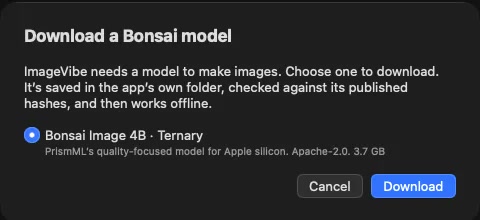
The first time you open ImageVibe it offers to download the model, about 3.7 GB. Each file is checked against its published hash and kept in the app’s own folder.

After that, images are made entirely on your Mac. The download is the only thing the app uses the internet for.

The Download a Bonsai model sheet, with Bonsai Image 4B Ternary selected, its size, and Cancel and Download buttons.

Made for private image making

No account, no server
The model runs on your Mac’s own chip. There is nothing to sign up for and nothing to pay per image.
Saved as you go
Each image is saved as a PNG with a record of its settings, in ImageVibe’s folder, as soon as it is made.
Labelled as AI-made
Every PNG carries the standard machine-readable tag that marks it as made by an AI model.
Long prompts
Up to 2,000 characters. The model reads the first 512 tokens (words and parts of words), and the app tells you when a prompt was cut.
Keyboard friendly
⌘↩ generates. With the film roll selected, the arrow keys move between frames and Delete moves one to the Trash.
Open in Preview
Double-click an image to open it in Preview, or copy it straight into another app.

Get ImageVibe

Free. Get it on Ko-fi and the download comes from that page, signed and notarized by Apple. Open the disk image, drag ImageVibe into Applications, and on first launch it offers to download the model.

Get ImageVibe
System
macOS 27 or later
Processor
Apple silicon
Memory
More than 16 GB
Model download
About 3.7 GB, once

Questions

Does anything I type leave my Mac?

No. Your prompts and images stay in ImageVibe’s folder on your Mac. The app only goes online to download the model. The privacy policy has the details.

Will it run on my Mac?

It needs an Apple silicon Mac with macOS 27 and more than 16 GB of memory. Macs with 8 or 16 GB are not supported at the moment. Final size and Fine decode use the most memory: on our 24 GB Mac a Draft image peaked at about 7 GB, a Final 1024 × 1024 image at about 13 GB, and Final with Fine decode at about 17 GB.

Can I use a negative prompt, or start from a picture?

No. The model is built to work without a negative prompt, guidance setting or starting image. How you word the prompt is the way to steer it.

Can I stop an image once it has started?

No, a generation runs to the end once it starts, and the app says so while it works. Draft images are quick, so try ideas at Draft size first.

Does a saved PNG include the prompt?

Save… exports the picture only. Its prompt and settings stay with the frame on the film roll, where Reuse Prompt and Settings can bring them back.

Who made the model?

Bonsai Image 4B is made by Prism ML. ImageVibe is an independent app and is not affiliated with or endorsed by Prism ML.